mhb - GTFS transit data for Australia
ActiveAbout This Feed
The mhb GTFS feed by Translink-Queensland provides structured public transit data for Australia, covering 14 routes, 385 stops, and 1 transit agencies. Formatted according to the General Transit Feed Specification (GTFS), this dataset is ready for transit apps, routing engines, and urban planning tools.
Valid from July 23, 2026 to September 21, 2026. Suitable for production use in transit applications, GTFS editors, and GTFS-RT integrations.
Data is automatically validated and corrected. View our quality pipeline →
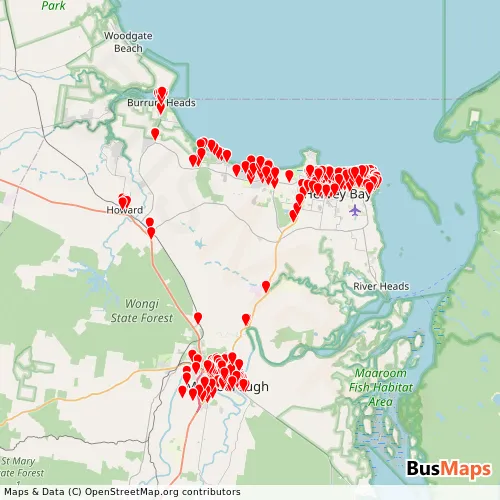
Browse routes, stops, and agencies from this feed. Public pages show merged data from all feeds. Sign in for per-feed details useful for GTFS integration and debugging.
Sign in to access →Download Data
Enhanced & Validated Recommended
Updated 2026-07-24Cleaned, corrected, and validated against GTFS specifications. View corrections.
Original Source
Obtained 2026-07-23Unmodified GTFS data from official sources. May contain errors or inconsistencies.
Frequently Asked Questions
What is GTFS data?
General Transit Feed Specification (GTFS) is an open data format for public transit schedules and geographic information. Created by Google and TriMet, it enables transit agencies to publish interoperable data for applications, trip planners, and mobility analytics tools.
What is the difference between enhanced and source data?
Source data is the original GTFS feed obtained from the transit agency or official provider. The enhanced version has been processed to fix errors, remove inconsistencies, and ensure compliance with GTFS specifications. We recommend the enhanced version for production applications.
Can I use this data in my application?
Data usage depends on the license specified by the original provider. Check the license information in the download section. Many GTFS feeds use open data licenses that allow free use with attribution. Always verify the license terms before integration.
How do I validate a GTFS feed?
Each feed includes a validation report documenting errors and warnings. You can also use the MobilityData GTFS Validator for independent validation. Enhanced feeds have already been processed to resolve the most critical validation issues.
All data on this site comes from publicly available sources. If a file was posted in error, has an incorrect license, or lacks correct source attribution, please contact us and we will correct it.